 By admin
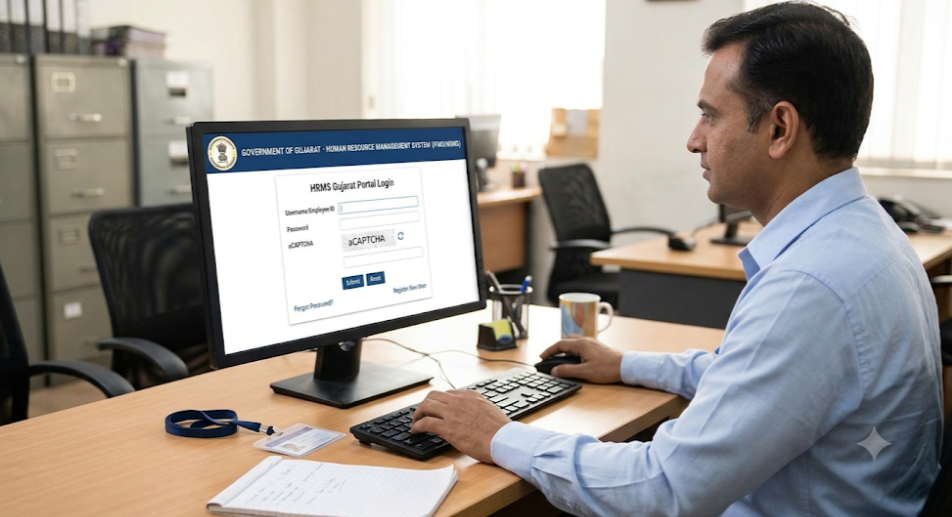
HRMS Gujarat is the Government of Gujarat’s digital system for managing the service records and HR matters of state government employees. It replaces paper files with an online record covering registration, service book, leave, property returns, performance reports and payroll-related data. Today, employees mainly reach these services through the Karmyogi portal at karmyogi.gujarat.gov.in, which also has a mobile app.
HRMS Gujarat – Detailed Guide
| Item | Details |
|---|---|
| Name | HRMS Gujarat / e-HRMS (Karmyogi application) |
| Run by | Government of Gujarat |
| Portal | https://karmyogi.gujarat.gov.in |
| Users | Gujarat state government employees |
| Login | Registered mobile number, password and captcha |
| Mobile app | Karmyogi app (listed on the Apple App Store) |
| Main services | Employee registration, service book, leave, annual property return, APAR, payroll |
| Language | Manuals are bilingual (English and Gujarati) |
What Is HRMS Gujarat (e-HRMS)?
e-HRMS stands for Electronic Human Resource Management System. In Gujarat, the state’s HR transformation work goes back to the SATHI initiative described by Gujarat Informatics Ltd, which aimed to digitise personnel and administrative processes and convert physical service books into e-service books. The current Karmyogi application describes itself as a system for managing several HR functions, with the employee’s service book data as its backbone.
In simple terms, it is one place where an employee’s career record lives online, so that staff and offices work from the same verified data.
HRMS Gujarat Portal Login: Step-by-Step Guide
- Open the portal. Go to https://karmyogi.gujarat.gov.in in your browser, or open the Karmyogi mobile app. Type the address yourself or use a bookmark.
- Choose the login option. The portal’s user manual lists login with a mobile number, among other options.
- Enter your registered mobile number. It must be the number linked to your employee record.
- Enter your password. Use the one issued or set by you.
- Fill in the captcha shown on screen.
- Click Login. You will reach your dashboard, where you can open your profile and other services.
- Upload documents if asked. The employee record module lets you choose a file and upload supporting documents.
First time? Your office or department must have registered you first. If your number is not recognised or your record is missing, contact your establishment section or HR cell.
Forgot your password? Look for the password reset option on the login page, or ask your department’s HR cell to help reset it. I could not confirm the exact reset steps, so follow the on-screen instructions.
Good to know: Some websites mention “GHRIS” payslip logins for Gujarat. Many of these are unofficial pages, so confirm the correct address with your department before entering any credentials.
Features of HRMS Gujarat
- Employee registration and profile: your personal and service details in one record.
- e-Service book: digital version of the physical service book, with supporting documents.
- Leave management: apply for and track leave online.
- Annual property return: submit the yearly return digitally.
- Performance appraisal (APAR): online performance reporting.
- Payroll information: salary-related data linked to the employee record.
- Mobile access: the Karmyogi app brings these services to your phone.
- Bilingual guidance: the user manual gives instructions in English and Gujarati.
Benefits of HRMS Gujarat
- Less paperwork: records and applications move online.
- Transparency: employees see their own data and can spot errors early.
- Faster processing: workflows reduce file movement between offices.
- Anytime access: log in from a computer or phone.
- Accurate records: one verified source reduces mismatches.
- Better planning: the state can place and deploy officers using experience and posting data, an aim of the earlier SATHI programme.
FAQ
What is the official HRMS Gujarat portal? The Karmyogi portal at karmyogi.gujarat.gov.in. Always confirm the address with your department.
Who can use HRMS Gujarat? Gujarat state government employees registered by their offices.
What do I need to log in? Your registered mobile number, password and the captcha.
Is there a mobile app? Yes, the Karmyogi app is listed on the Apple App Store.
Can I check my leave and service book online? Yes, these are among the services the Karmyogi application describes.
My details are wrong. What should I do? Contact your establishment or HR section so the record can be corrected and verified.
Is GHRIS the same as HRMS Gujarat? Names vary across websites. Rely on your department’s circulars to know which portal applies to you.