 By admin
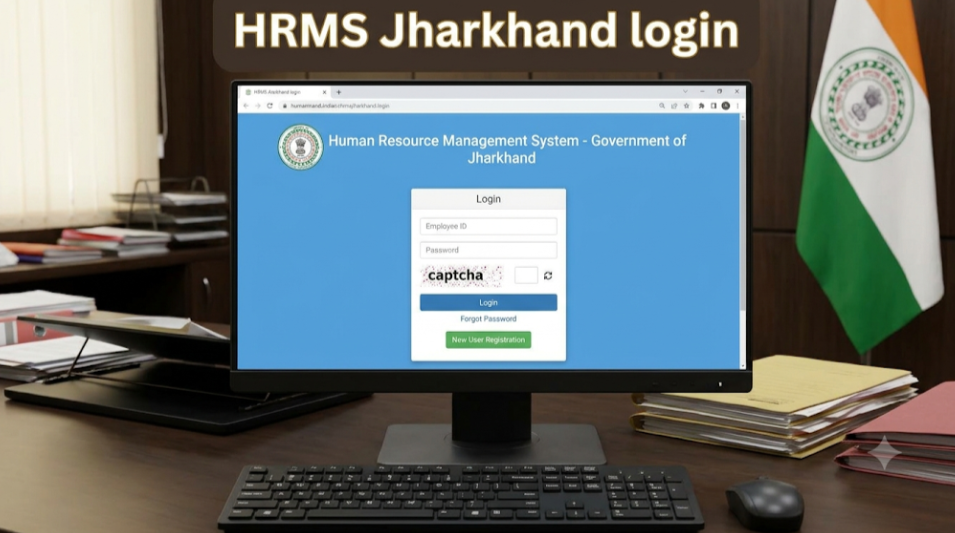
HRMS Jharkhand is the state government’s Human Resource Management System, which holds employee service records and supports HR services. It is based on Manav Sampada, the e-HRMS product built by the National Informatics Centre (NIC), and the Department of Personnel, Administrative Reforms and Rajbhasha (DoPAR) describes it as a web-based HRMS application. Employees also use a separate Finance Department employee portal for salary slips and GPF services.
Because there are two related systems, this guide explains both so you know where to go.
HRMS Jharkhand : Detailed Guide
| Item | Details |
|---|---|
| Based on | Manav Sampada e-HRMS product (NIC) |
| Coverage | Implemented across 82 state government departments, per an NIC implementation status report (April 2016) |
| Nodal department | DoPAR, Government of Jharkhand (dopjharkhand.gov.in lists HRMS under quick links) |
| Related portal | Finance Department employee portal: jkuber.jharkhand.gov.in/emp |
| Typical identifier | GPF, CPS/NPS or PRAN number |
| Employee services | Service details, salary slip, GPF account information, advances |
| Helpdesk | Use the helpline or email shown on your portal, or your department HR |
What Is HRMS Jharkhand?
HRMS Jharkhand is a digital system created to move paper service books online. NIC’s records say master entry was completed for all departments and employee service book data entry covered over two lakh employees in the early rollout. The Manav Sampada product aims to create a searchable electronic service book, give employees transparent access to their records, and reduce manual effort for offices.
The Finance Department employee portal is a separate site for financial self-service. It lets registered employees view GPF account details, download salary slips and financial year-wise accounting slips, and apply for services such as GPF advance.
I could not verify a single official HRMS login address for Jharkhand, so use the link your department or DoPAR provides, and be careful with unofficial sites.
HRMS Jharkhand Portal Login: Step-by-Step Guide
- Get the official link. Ask your DDO or HR office, or find HRMS under the quick links on DoPAR’s website.
- Open the login page by typing the address or using a bookmark.
- Select your user type, for example Employee.
- Enter your login ID and your GPF/CPS/PRAN number, as guide sites describe.
- Enter your password and click Login.
- Open your home page to see your profile and services.
Forgot your password? On the authorised login section, use the “Forgot Password / Change your password” option and follow the steps. If it does not work, ask your department’s HR administrator.
First-Time Registration Process
Guides describe registration for new users roughly like this:
- Click Register, shown above the login box.
- Choose the option for GPF, CPS or PRAN.
- Enter your number and the personal details requested.
- Verify the details and set your password.
- Log in with the credentials provided.
DoPAR’s own help document describes the same idea for its Personnel Information System: select Employee Registration from the Employee Corner, then enter your GPF/CPS/NPS/PRAN number as the user ID and click Go.
On the Finance Department portal, employees must register on the site before they can apply online for GPF advance or download slips.
If your number is not accepted, ask your DDO to check that your record has been created and linked.
Features of HRMS Jharkhand
- Electronic service book: career and service history in digital form.
- Employee profile: personal and posting details.
- Role-based access: separate access for employees, DDOs and departments.
- Confidential online ACR submission, as listed for the Manav Sampada product.
- Employee search across departments for administrators.
- Salary slips: monthly slips through the portal your department uses.
- GPF services: account details, accounting slips, and online GPF advance applications through the Finance portal.
- Aadhaar-linked data, for example UID linkage and biometric authentication mentioned in DoPAR’s FAQ.
Benefits of HRMS Jharkhand
- Transparency over service and financial records
- Less paperwork than manual service books
- Faster services, such as slips and advance applications
- Better administration through searchable records
- Safer records, since digital copies can restore a lost service book
Troubleshooting Common Issues
| Issue | What to try |
|---|---|
| Registration fails | Check your GPF/CPS/PRAN number and ask your DDO to confirm your record. |
| Invalid login | Check user type, ID, number and caps lock; use Forgot Password. |
| Portal unavailable | Maintenance can cause downtime; retry later or ask HR. |
| Salary slip not found | Choose the correct month and year; confirm the pay bill was processed. |
| Details are wrong | Ask your DDO or HR to correct the service data. |
| Suspicious site | Use only government-provided links and never share your password. |
FAQ
What is Manav Sampada?
It is NIC’s e-HRMS product on which Jharkhand’s HRMS is based.
Where do I log in?
Use the link your department or DoPAR provides; the Finance employee portal is at jkuber.jharkhand.gov.in/emp.
What ID do I use?
Guides say your GPF, CPS/NPS or PRAN number, along with your login ID.
How do I download a salary slip?
Log in, open the payroll or salary slip section, pick the month and year, and download.
Who can help me?
Your DDO or department HR administrator.