 By admin
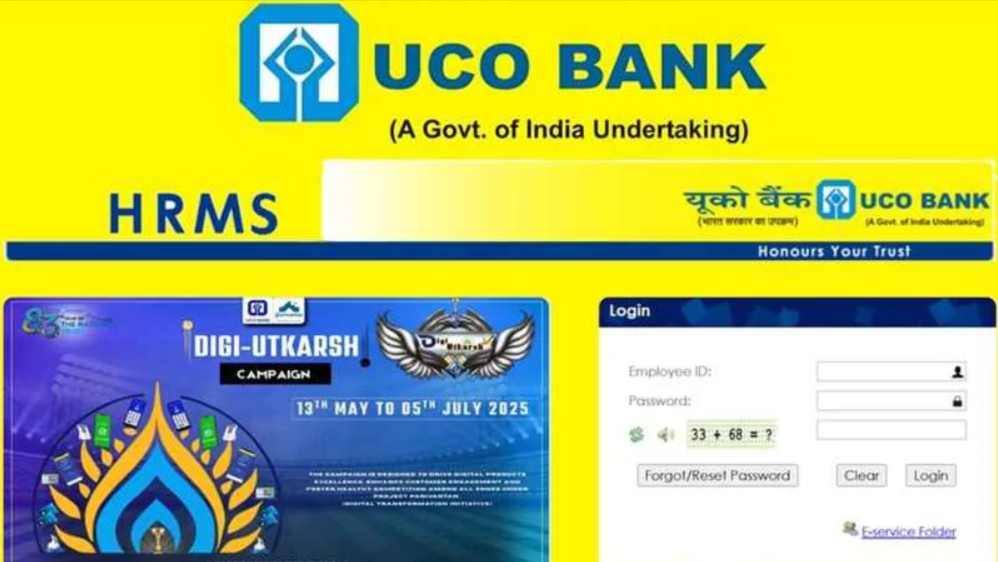
UCO Bank HRMS is the bank’s Human Resource Management System for its employees and retirees. The bank’s own HRMS page highlights UCO HRMS+, the official mobile app version of the HRMS portal, available on Android and iOS. Through it, staff handle routine HR tasks such as checking salary details, applying for leave and raising issues, without visiting an HR desk.
UCO Bank HRMS : Detailed Guide
| Item | Details |
|---|---|
| Organisation | UCO Bank |
| Official info page | uco.bank.in/uco-hrms |
| Mobile app | UCO HRMS+ (Android and iOS) |
| Who can use it | In-service employees and retirees with valid credentials only |
| Languages | Multiple languages, selectable in the app |
| Services listed by the bank | Profile, Salary, Leave, Holiday Home, Sujhav, Raise Issue, Reimbursement, Contacts, Tour, Approval, App Settings, Announcements, Push Notifications |
| Older web portal | Guides cite hrms.ucoonline.in; confirm with HR before using |
| Related internal site | UCO Online, an internal employee portal for circulars, manuals and handbooks |
What Is HRMS UCO Bank?
HRMS stands for Human Resource Management System. At UCO Bank, it is the digital platform where staff manage personal and payroll-related HR matters. The bank describes UCO HRMS+ as the mobile app version of its HRMS portal, and says only employees, whether in service or retired, with valid credentials may use it.
The bank also runs UCO Online, which it describes as an internal portal for employees to view and download internal documents such as circulars, job cards, manuals and handbooks, and to share internal messages. This is separate from the HR self-service app.
UCO Bank HRMS Portal Login: Step-by-Step Guide
Using the UCO HRMS+ app (official route)
- Open the Google Play Store (Android) or App Store (iOS).
- Search for UCO HRMS+ and confirm the publisher is UCO Bank.
- Install and open the app.
- Choose your language if you prefer one other than the default.
- Enter your credentials. Guides say these are your employee ID (HRMS number) and password, plus a captcha on the web portal.
- Complete any verification the app asks for, then reach your home screen.
Using the web portal
Older guides describe a web login at hrms.ucoonline.in using employee ID, password and captcha. I could not confirm that address as current, so ask your branch or HR for the right link before entering credentials.
Forgot your password?
Guides say to use the Forgot/Reset Password option on the login page, enter your employee ID (HRMS number), and follow the instructions. If it fails, contact your branch HR or the HRMS support team.
Features of HRMS UCO Bank
From the bank’s own list of services in UCO HRMS+:
- Profile: your employee details.
- Salary: pay information and payslips.
- Leave: apply for and track leave.
- Holiday Home: holiday home services for staff.
- Sujhav: a suggestions channel.
- Raise Issue: report HR or technical problems.
- Reimbursement: submit and track claims.
- Contacts: staff contact details.
- Tour: tour-related requests.
- Approval: approvals for managers.
- Announcements and push notifications: updates delivered to your phone.
Guides add attendance management, training schedules and tax details, but those come from third-party pages, so check what your own app shows. The app listing also says it provides state-wise bank holiday information.
Benefits of HRMS UCO Bank
- Mobile access: HR services in your pocket, in multiple languages
- Covers retirees too: pensioners can use the app with valid credentials
- Less paperwork: leave, reimbursement and issue reporting are handled digitally
- Faster approvals: managers can act on requests through the app
- Better communication: announcements and push notifications reach staff directly
- Transparency: staff can see their own salary and leave information
FAQ
What is UCO HRMS+?
The official mobile app version of UCO Bank’s HRMS portal, for in-service employees and retirees.
Who can use it?
Only UCO Bank employees and retirees with valid credentials.
Where do I download it?
From Google Play or the App Store; search for UCO HRMS+.
Which languages are supported?
The bank says multiple languages are available and you can choose in the app.
What can I do in the app?
Use services such as Profile, Salary, Leave, Holiday Home, Reimbursement, Tour and Approval, as listed by the bank.
I forgot my password.
Use the reset option and your employee ID, or ask HR.
Is UCO Online the same as HRMS?
No. UCO Online is an internal portal for circulars and manuals.
Who do I contact for help?
Your branch or HR office first, or use the Raise Issue option in the app.