 By admin
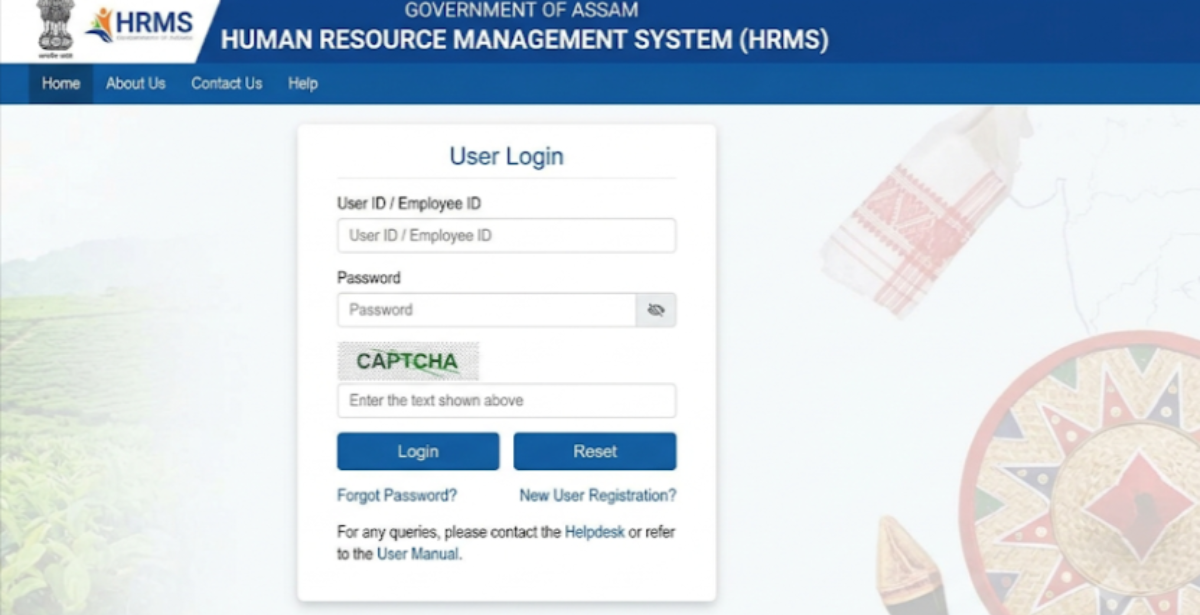
Searching for “HRMS Assam” can be confusing, because Assam does not appear to have one single, universally used HRMS website. Employee HR and payroll services are spread across several official systems depending on your department. This guide explains the main ones, how to log in, what they offer, and how to avoid unofficial sites.
HRMS Assam : Detailed Guide
| Item | Details |
|---|---|
| What it is | Digital HR, payroll and service-record services for Assam government employees |
| Main payroll and salary slip portal | FinAssam, run by the Finance Department (fin.assam.gov.in) |
| Employee self-service login | fin.assam.gov.in/ess/gotoEmpLogin, as given in a guide site; confirm on the official portal |
| Medical education staff | e-HRMS portal for government medical colleges, dental colleges and nursing institutes (see ahidms.assam.gov.in) |
| Health mission staff | HR-MIS of National Health Mission, Assam (nhmssd.assam.gov.in) |
| Reported helpline | 1800-102-1821 (from a guide site; verify) |
| Typical services | Salary slips, leave, service history, pension (for eligible users) |
What Is HRMS Assam?
HRMS stands for Human Resource Management System. In Assam, the term is used for the digital systems that hold employee records and let staff use HR services online. Third-party guides describe it as an employee self-service portal covering payroll, leave, profile updates, e-service book and pension for current and retired employees.
In practice, the official sources show department-level systems:
- FinAssam is the Finance Department’s financial management portal, managed by the Directorate of Accounts and Treasuries. Guides say permanent state employees use it for salary slips, arrears, NPS contributions and GPF statements.
- e-HRMS (Medical Education) is operational across government medical colleges, dental colleges and nursing institutes, aiming to digitise and centralise personnel records.
- HR-MIS (NHM Assam) keeps records of NHM employees and doctors working under the Health department.
Some blogs mention an address like hrmsassam.in. I could not verify it as official, so do not enter credentials there unless your department confirms it.
HRMS Assam Login: Step-by-Step Guide
The steps below follow the FinAssam employee route described in guides. Your department may use a different system, so check first.
- Confirm your portal. Ask your DDO or office which system covers you: FinAssam, the medical education e-HRMS, or another.
- Open the official site. For FinAssam, type fin.assam.gov.in into your browser and go to the employee self-service login.
- Register if you are a first-time user. Guides say you sign up using your bank account number and IFSC, confirm with a mobile OTP, and set a password. The bank details must match your salary account in government records, or registration may fail.
- Enter your username and password and any captcha.
- Open your dashboard and choose services such as salary slip.
- Log out when finished.
Forgot your password? Use the “Forgot Password” link and verify with your registered email or mobile number, as guides describe. If your contact details are outdated, ask your office to update them.
Employees of medical colleges: Your institution issues your login for the e-HRMS portal; contact your institute’s HR or nodal officer.
Features of HRMS Assam
- Salary slips: view and download monthly slips, useful for loans and tax filing.
- Payroll details: arrears, NPS contributions and GPF statements, as listed for FinAssam.
- Employee profile management: service history, postings, qualifications and designations in the medical education e-HRMS.
- Leave management: apply for leave and track status, as described in guides.
- e-Service book: a consolidated digital record of postings, promotions and leave.
- Pension services: for retired users where applicable.
Visible modules depend on your department and employee category.
Benefits of HRMS Assam
- 24×7 access to payslips and records without visiting an office
- Transparency in pay, leave and service history
- Less paperwork through online requests
- Bank-ready documents, since slips come from an official government portal
- Better planning for departments through centralised personnel data, an aim stated for the medical education portal
FAQ
Is there one official HRMS Assam website?
Not that I could confirm. Services are split across department systems such as FinAssam and the medical education e-HRMS.
Where do I get my salary slip?
Guides say through the FinAssam employee self-service portal at fin.assam.gov.in.
How do I register on FinAssam?
Guides describe signing up with bank account number, IFSC and mobile OTP, then setting a password.
Registration fails. Why?
The bank account and IFSC must match your salary account in government records. Ask your DDO to check.
Who can use these portals?
Eligible Assam government employees. Guides say retirees can use pension-related services where available.
What is hrmsassam.in?
It appears in some blogs, but I could not verify it as an official site. Confirm with your department first.
Who do I contact for help?
Your DDO or HR section first. A guide site lists a FinAssam helpline of 1800-102-1821; verify before relying on it.