 By admin
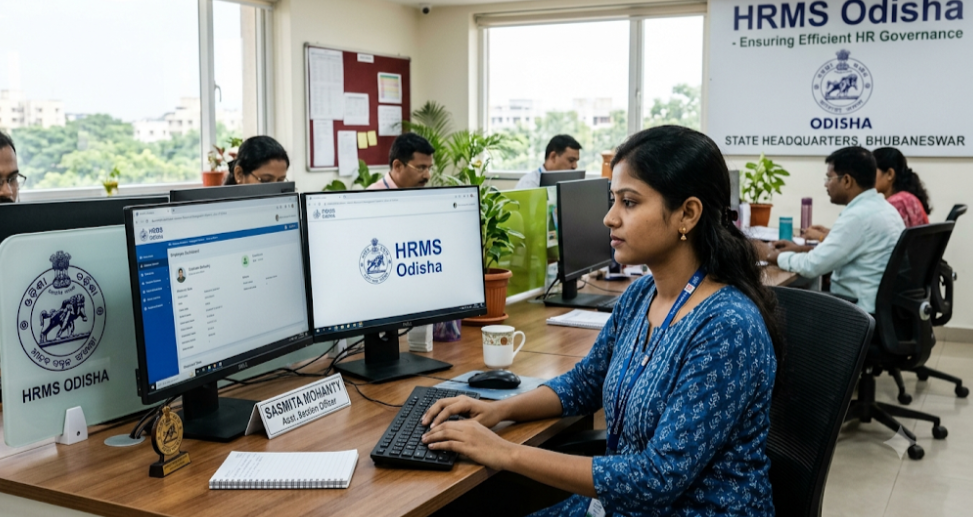
HRMS Odisha is the Government of Odisha’s online Human Resource Management System for state government employees. It is a flagship project of CMGI, a society under the General Administration & Public Grievance Department, and the official department page directs users to hrmsodisha.gov.in. Through it, employees apply for leave, file requests, view service data and download payslips, while the system generates records such as the service book, leave account and salary account from transactions.
HRMS Odisha at a Glance
| Item | Details |
|---|---|
| Run by | CMGI, General Administration & Public Grievance Department, Government of Odisha |
| Portal | hrmsodisha.gov.in (older guides also mention hrmsorissa.gov.in) |
| Users | Odisha state government employees; guides say retired employees can register too |
| Login | “Personal Login / HRMS Login” with user ID, password and captcha |
| Key services | Payslip, leave, e-service book, PAR, loans, grievances, property returns |
| Property return deadline | Online by 31 January each year, for the previous calendar year |
| Password reset | “Forgot Password”; guides mention registered mobile number and date of birth |
What Is HRMS Odisha?
HRMS Odisha is a single-window system where an employee can apply for leave or a loan, raise a request or grievance online, and receive the sanction or reply online. It also serves as the repository of service records and personal information used for pay bills and pension processing. Filling in profile data fully helps auto-generate pension papers.
HRMS Odisha Portal Login: Step-by-Step Guide
- Open hrmsodisha.gov.in in your browser. Type the address or use a bookmark.
- Click Personal Login / HRMS Login.
- Enter your user ID and password, then the captcha.
- Click Sign in to reach your dashboard.
- Use the My Page tab for most employee services.
If you forgot your password, click Forgot Password and follow the prompts. Guides mention that you may need your registered mobile number and date of birth.
Features of HRMS Odisha
- Online leave application, balance view and status tracking
- Payslip and pay bill status
- e-Service book with a complaint option for errors
- PAR (performance appraisal) module
- Loan and grievance requests with online sanction or reply
- Property return submission
- Auto-prepared registers such as the service book, leave, loan and salary accounts
- OTP-based mobile verification and Aadhaar-linked authentication for some processes
Benefits of HRMS Odisha
- Less paperwork and fewer office visits
- Faster sanctions and replies
- Easy payslip access for loans and tax filing
- Transparent leave and service records
- Smoother pension processing when the profile is complete
- Online property returns that count toward promotion eligibility
How To Register On HRMS Odisha Portal?
Employees normally receive credentials from their office. To link your mobile number:
- Open the HRMS Odisha site and find the mobile registration option.
- Fill in the details asked on the new page.
- Enter your registered mobile number.
- Enter the OTP sent to that number.
- Click Save.
If you lost your credentials, contact your department head or HR section.
Key Required Information/Documents for HRMS Profile Update/Completion
Odisha circulars have asked employees to update their profile, with data such as:
- Aadhaar number and Aadhaar-linked mobile number
- PAN
- GPF/PRAN number
- Mobile number
- Cadre details
- Address
- Nominee details
- Family details
Keep your service book, Aadhaar, PAN, bank and nomination records handy. Some third-party guides also mention ID and address proof, but follow what your office and the portal require.
How To Download Payslip on HRMS Odisha?
- Log in with your user ID and password.
- Open the payslip or pay bill section from your dashboard.
- Select the month and year.
- View and download or print the slip.
If the slip is missing, ask your drawing and disbursing office whether the pay bill has been processed.
How to Apply Leave Application in HRMS Odisha?
- Log in and go to the My Page tab.
- In the left pane, open Request or Apply, then click Leave.
- Choose the leave type and enter the dates.
- Enter the reason for leave.
- Click Save to submit.
Track the status on your dashboard. Your My Leave Account section shows your balance.
How to Submit Property Return in HRMS Odisha?
Odisha’s General Administration & Public Grievances Department requires employees to file their annual property statement online through HRMS by 31 January of the following year. Hard copies are not accepted, and timely filing is mandatory for promotion consideration.
- Log in to HRMS.
- Open the property return option in your employee services.
- Fill in the details of your property as on 1 January of the relevant year.
- Review and submit, using Aadhaar-based e-signature where prompted.
Menu names can change, so follow the labels on your dashboard or ask your office.
FAQ
What is the official HRMS Odisha website?
hrmsodisha.gov.in, as shown on the General Administration Department page.
Who can use it?
Odisha state government employees. Guides also say retired employees can register.
I did not receive the OTP.
Check that your mobile number is registered correctly and retry, or ask your office to update it.
Why should I update my profile?
It helps with pension processing and keeps your records accurate.
Can I submit the property return on paper?
No. The circular says online submission through HRMS is required.
What if my service book has errors?
Write to your establishment officer or use the “Lodge Complain” link under My Page.
Is it safe?
Use only the official site, never share your password or OTP, and log out on shared devices.